AI agent teams
Create bots with their own roles and group them to work on one task together. Each bot keeps its own history, working folder and tools.
AIKINGBOT turns AI agents into a team: every bot has its own role, tools and schedule. Use Claude, ChatGPT, Gemini, Grok or your own model and install skills from the Marketplace. Install the app on your computer, then open the web from your phone or another computer to give your bot team work while your computer is on.
Free during the beta · Windows 10/11 64-bit · Your data stays on your machine
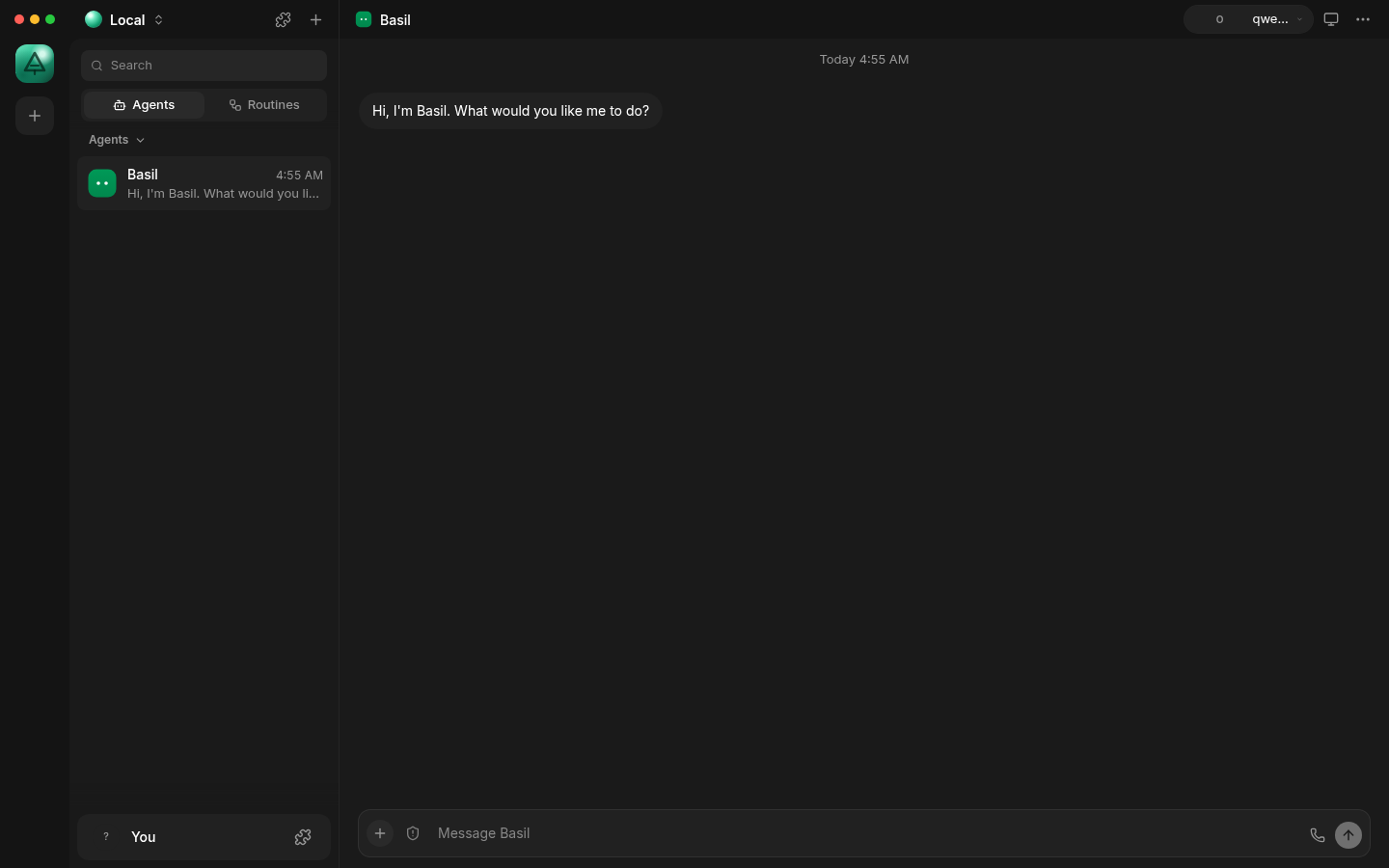
Captured from the running AIKINGBOT app — not a mock-up.
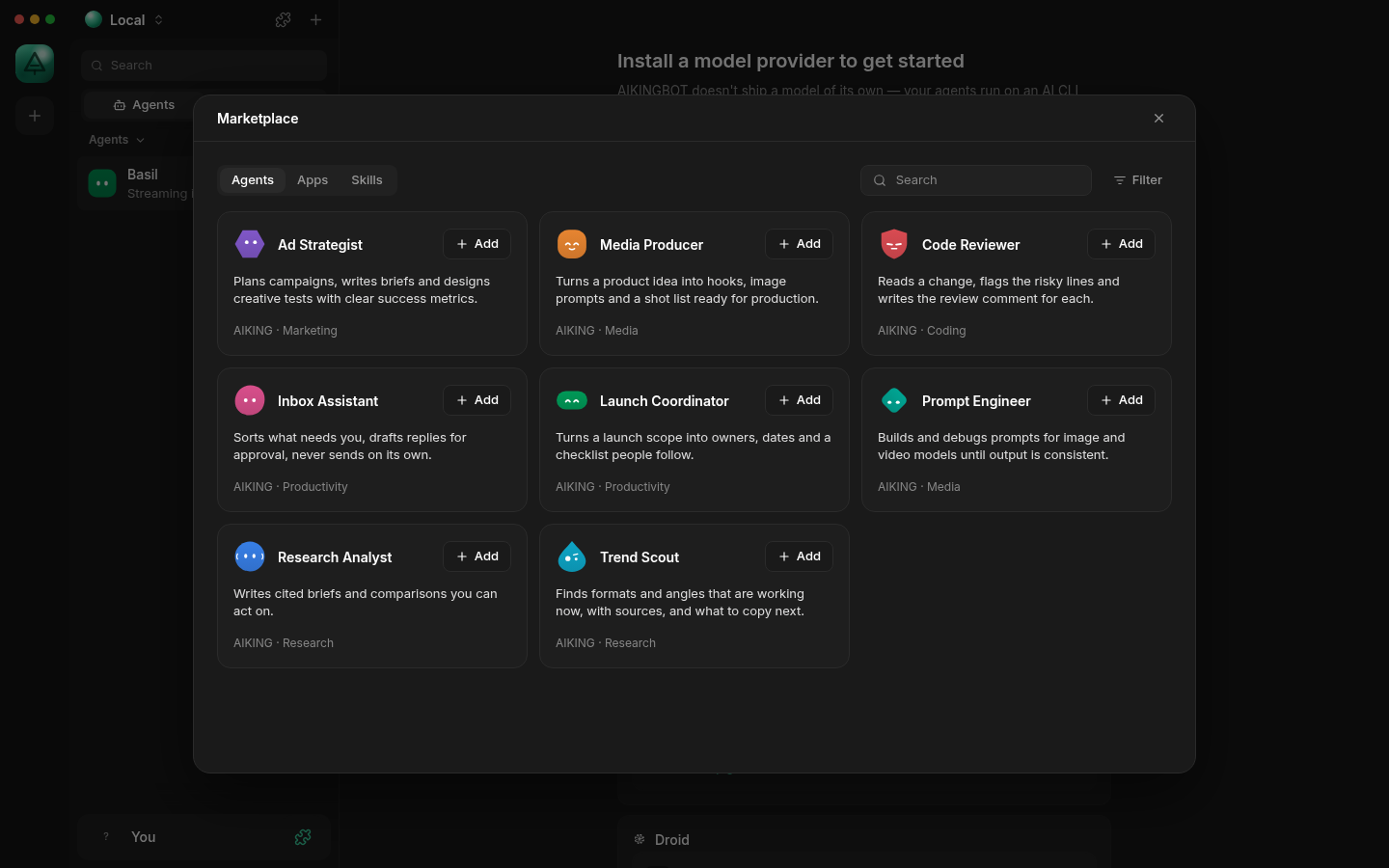
These capabilities ship in the beta. Items marked as needing setup require your own account or service.
Create bots with their own roles and group them to work on one task together. Each bot keeps its own history, working folder and tools.
AIKING Core with Claude, plus the Claude, ChatGPT/Codex, Gemini, Grok, Mistral, Groq, Cerebras and MiniMax engines and any OpenAI-compatible endpoint — local models included.
Install ready-made agents such as Media Producer, Ad Strategist, Trend Scout and Research Analyst, and skills for TikTok hooks, campaign briefs and meeting notes. Update or remove with one click.
Extend bots with reviewed skills and MCP servers over stdio, HTTP or SSE. Tools with side effects always wait for your approval.
Bots work in the folder you choose and read or create files, images and documents. Encrypted backup restores the whole workspace on a new machine.
Run a bot once or on a schedule: a Monday morning report, a daily trend scan, a weekend inbox digest.
Install the app on your computer and turn on Remote access in Settings. While the computer is on, sign in with the same email on the web and use your bot team on that very computer. Bots, files and chats stay on your computer; switching it off cuts the web off at once.
Talk to your agents: pick a microphone and speaker, interrupt naturally, reconnect automatically. The app checks the engine, microphone and speech service first and tells you exactly what to connect if something is missing.
Get the Windows installer from this page and install it in a minute, no administrator rights needed.
Sign in with your email and a one-time code inside the app (only once), then sign in to Codex, Claude Code or another engine with the provider's own account login.
Pick agents from the Marketplace or create new bots, and give each one a model, skills and a working folder.
Send a task, set a schedule or start a voice call. Follow progress, approve tools and get results right in the conversation.
Installers are served directly from this page, with a SHA-256 checksum so you can verify every file.
Windows 10/11 · 64-bit
The Windows Beta is being prepared. This page updates itself once the installer is published.
—
Linux:
From the first beta with an update channel, AIKINGBOT checks for new versions at start-up and every hour, downloads in the background and shows a restart button to finish. Accounts, bots, skills and workspaces are kept. You can also check manually in Settings → About.
In PowerShell, run the command below and compare it with the SHA-256 shown above:
Get-FileHash .\AIKINGBOT-setup.exe -Algorithm SHA256The app is free during the beta. AI usage is billed by the model provider: use the ChatGPT, Claude, Gemini or Grok plan you already have, a pay-as-you-go API key, or a free local model.
AIKING Core uses Claude through an Anthropic API key. The app also keeps the Claude, ChatGPT/Codex, Gemini, Grok, Mistral, Groq, Cerebras and MiniMax engines and OpenAI-compatible endpoints. Each bot can use a different model.
On your computer, in the .aikingbot folder of your Windows account. When you use the web, the page only passes requests to your computer; chats and files are not stored on the web service. Content is only sent to the model provider you choose for each conversation turn.
Windows 10 or 11, 64-bit, about 1 GB of free disk space and an Internet connection for cloud models. Linux builds (.deb, AppImage) exist too; macOS comes later.
Install the desktop app and sign in with your email, then turn on Remote access in Settings → Account. While your computer is on and the app is running, open the web app, sign in with the same email and pick your computer. If the computer is off, the web says it is offline. The desktop app works fine without the web.
By default an agent works on your computer without asking each time (Full access), like an assistant you trust. You can switch any agent to "Ask me first" or "Decide for me" in the agent's settings: then tools with side effects need your approval and dangerous tools are refused unless you explicitly allow them. The web only controls the computers of your own email account and cannot manage the computer's connection; you can turn Remote access off at any time. Voice never approves a tool.
The installer is not code-signed yet, so Windows warns on first install. The in-app interface is English for now; Vietnamese comes later. Voice calls need configured STT/TTS services. Composio OAuth connections need your own account. Back up important workspaces.
No. An update replaces the program only; data in .aikingbot is kept and migrated when needed. An older version refuses to open data written by a newer one to avoid corruption.
Download the Windows Beta, connect the model you already use and hand over your first task in minutes.